


Storing personal information on Google Drive can be safe if proper precautions are taken. Users must understand the platform’s security features and potential vulnerabilities to protect their data effectively.
Google Drive Data Protection Measures
Google Drive offers a variety of data protection measures designed to safeguard your personal information. Understanding these features can help you determine the platform’s reliability and security for storing sensitive data. This section will explore the specific protections Google Drive implements to enhance user privacy and data security.
Google Drive employs several security measures to safeguard user data. These include encryption during data transfer and at rest, two-factor authentication, and regular security updates. Users can enhance their security by enabling additional features and following best practices.
Recommended Products

Meet the smarter, sharper wired Google Nest Cam Outdoor; with 2K HDR video and Gemini, it knows what to look out for and what to do next[1,2,3](Gemini features require a Google Home premium subscription; try it for 1 month at no cost to you)[4]

Protect accounts with USB-C & NFC 2FA security key. Hardware-based authentication blocks phishing, credential theft & unauthorized access across cloud, enterprise & personal platforms.
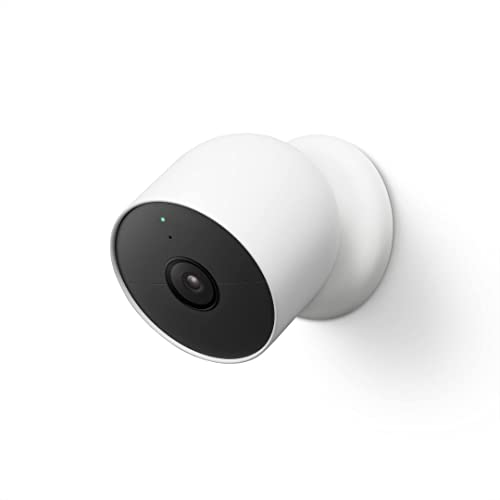
Nest Cam has built-in intelligence and can tell the difference between a person, animal, and vehicle and send alerts directly through the Google Home app[1], no subscription required.Controller Type:Google Assistant.Connectivity protocol:Bluetooth;Wi-Fi.Power source type:Battery Powered.Operating Temperature : –4°F to 104°F (–20°C to 40°C).
Google Drive Encryption and File Security
When considering the safety of storing personal information on Google Drive, understanding its encryption and file security measures is crucial. This section delves into how Google protects your data through encryption protocols and the security features in place to safeguard your files from unauthorized access.
Google Drive uses encryption to protect files. Data is encrypted both in transit and when stored on Google’s servers. This means that unauthorized users cannot easily access your files.
-
Encryption in Transit: Data is encrypted using SSL/TLS protocols.
-
Encryption at Rest: Files are encrypted with AES-256 encryption.
-
User-Controlled Encryption: Users can encrypt files before uploading for added security.
Two-Factor Authentication Security Advantages
Two-factor authentication significantly enhances the security of personal information stored on Google Drive. By requiring a second form of verification beyond just a password, it adds an extra layer of protection against unauthorized access. Understanding its advantages can help users better safeguard their sensitive data in an increasingly digital world.
Two-factor authentication adds an extra layer of security to your Google account. This feature requires a second form of verification, such as a text message code, in addition to your password.
-
Increased Account Security: Reduces the risk of unauthorized access.
-
Easy Setup: Users can enable this feature in their Google account settings.
-
Multiple Verification Options: Options include text messages, Google Authenticator, or backup codes.
Google Drive Personal Data Vulnerabilities
Storing personal information on Google Drive offers convenience, but it also raises significant privacy concerns. Users must be aware of potential vulnerabilities that could expose sensitive data to unauthorized access. Understanding these risks is essential for anyone considering using this cloud service for personal storage.
While Google Drive offers robust security features, risks still exist. Users should be aware of potential vulnerabilities that could expose their personal information.
-
Phishing Attacks: Users may receive fraudulent emails that appear to be from Google.
-
Account Compromise: Weak passwords can lead to unauthorized access.
-
Data Breaches: Although rare, breaches can occur, exposing user data.
| Risk Factor | Description | Mitigation Strategy |
|---|---|---|
| Phishing | Fraudulent emails targeting users | Use email filters and verify sender addresses |
| Weak Passwords | Easily guessable passwords | Use complex passwords and a password manager |
| Data Breaches | Unauthorized access to data | Regularly review account activity and settings |
Google Drive Security Strategies
When considering the safety of storing personal information on Google Drive, it’s essential to explore effective security strategies. This section outlines practical methods to enhance your data protection, ensuring that sensitive information remains secure while utilizing this popular cloud storage service. Understanding these strategies can help users make informed decisions about their privacy and data management.
To maximize security when using Google Drive, follow these best practices. Implementing these strategies can significantly reduce the risk of data exposure.
-
Use Strong Passwords: Create complex passwords that include letters, numbers, and symbols.
-
Regularly Update Passwords: Change passwords periodically to enhance security.
-
Limit Sharing Permissions: Be cautious about who you share files with and adjust permissions accordingly.
Assess Third-Party App Security Risks
When using Google Drive to store personal information, it’s crucial to consider the security of third-party applications that may access your data. These apps can pose potential risks, making it essential to evaluate their security measures and privacy policies. Understanding these risks helps ensure your information remains protected while using cloud storage services.
Many users integrate third-party applications with Google Drive. While these apps can enhance functionality, they may also pose security risks.
-
Review Permissions: Before granting access, check what data the app can access.
-
Use Trusted Apps: Stick to reputable applications with positive user reviews.
-
Monitor App Activity: Regularly review connected apps and revoke access to any that seem suspicious.
Google Drive Data Protection Guidelines
When considering the safety of storing personal information on Google Drive, understanding the platform’s data protection guidelines is crucial. These guidelines outline the measures in place to safeguard your data and the best practices you can adopt to enhance your privacy. By following these recommendations, you can better protect your sensitive information while using this popular cloud storage service.
Familiarizing yourself with Google’s privacy policy is crucial. This document outlines how Google collects, uses, and protects your data.
-
Data Collection: Google collects data to improve services but also for targeted advertising.
-
User Control: Users can manage their privacy settings to limit data collection.
-
Transparency: Google provides detailed information about data usage and sharing.
Google Drive Security Best Practices
When using Google Drive to store personal information, understanding security best practices is essential to protect your data. Implementing these measures can help safeguard your files from unauthorized access and potential breaches, ensuring your sensitive information remains secure in the cloud. This section outlines effective strategies to enhance your privacy while using Google Drive.
Storing personal information on Google Drive can be safe if users take the necessary precautions. Implement security features, follow best practices, and stay informed about potential risks. Regularly review your security settings to maintain optimal protection.
Recommended Products

【2.4 GHz & 5 GHz Both Avaliable with Simple One Click Connection】 Indoor camera is loaded with 2.4Ghz & 5 Ghz both friendly Wifi. It is fit for the most of major WiFi machine on the market with extremly simple easy connection method.All you need to do is instal APP on your phone and power on the camera, only one click, it will connected to your phone automaticlly. It is older people friendly and easy to install.

【Up, Down, All Around】This Pan/Tilt IP camera see everything across an entire room or walkway with the 360° horizontal and 114° vertical range pan/tilt field of view.

