


Saving photos in Google Drive is generally safe, but users must understand the privacy implications. Google employs robust security measures, yet personal data can still be vulnerable if not properly managed.
Google Drive Privacy and Security Measures
Google Drive offers various security features designed to protect user data. These include encryption during upload and storage, two-factor authentication, and regular security updates. Users can enhance their privacy by adjusting sharing settings and controlling who has access to their files.
-
Encryption: Data is encrypted both in transit and at rest.
-
Two-Factor Authentication: Adds an extra layer of security.
-
Regular Updates: Google frequently updates its security protocols.
Understanding Google Drive Photo Privacy Risks
When considering storing photos in Google Drive, it’s essential to understand the privacy risks involved. While the platform offers convenience and accessibility, various factors can compromise the security of your images. This section delves into the potential vulnerabilities and best practices to help safeguard your personal photos in the cloud.
While Google Drive is secure, potential privacy risks exist. Users should be aware of how their data is stored and accessed. Understanding these risks can help users make informed decisions about what photos to upload.
-
Data Breaches: Although rare, breaches can occur.
-
Third-Party Access: Apps linked to Google Drive may access your files.
-
Data Mining: Google may analyze data for advertising purposes.
Google Drive Privacy Settings Review
When using Google Drive to store photos, understanding the privacy settings is crucial for protecting your personal information. This section will delve into the various privacy options available within Google Drive, helping you make informed decisions about who can access your photos and how to enhance your security while using the platform.
Adjusting your Google Drive settings can significantly improve your privacy. Users should regularly review their sharing settings and access permissions to ensure that only trusted individuals can view their photos.
-
Manage Sharing Settings: Limit who can view or edit files.
-
Review Connected Apps: Disconnect any unnecessary third-party applications.
-
Use Private Folders: Store sensitive photos in private folders.
Photo Backup Strategies and Recovery Options
When it comes to safeguarding your photos in Google Drive, understanding effective backup strategies and recovery options is essential. This section explores various methods to ensure your images are securely stored and easily retrievable, helping you navigate the complexities of cloud privacy while maximizing the benefits of digital storage.
Having a backup strategy is essential for protecting your photos. Google Drive offers options for data recovery, but users should also consider additional backup solutions to ensure their photos are safe from accidental deletion or loss.
| Backup Option | Description |
|---|---|
| Google Photos | Automatically backs up photos and videos. |
| External Hard Drive | Provides offline storage for added security. |
| Third-Party Cloud Services | Offers additional layers of backup. |
Recommended Products
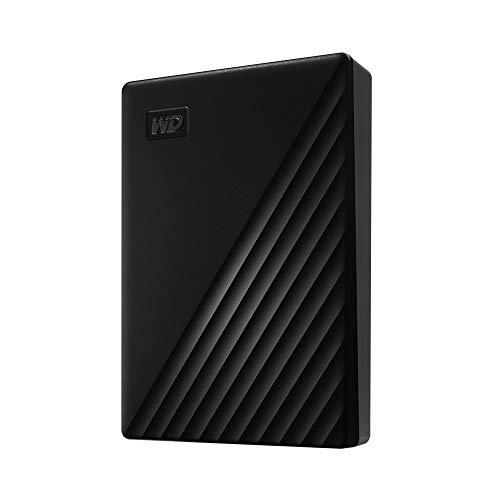
Slim durable design to help take your important files with you

Slim durable design to help take your important files with you

【MFi Certified Multi-function Flash Drive】This flash drive is MFi certified, high quality and excellent performance, allowing you to store your data more securely without worrying about data loss. Made of high quality metal material and advanced chip technology, it has excellent dustproof, drop-proof and anti-magnetic performance. The flash drive has a 128GB capacity, easily free up space on your device.
Cloud Storage Alternatives for Privacy Needs
When considering the privacy of your photos, it’s essential to explore various cloud storage alternatives that prioritize security. Each option offers distinct features and protections, allowing you to choose a service that aligns with your privacy needs. This section will delve into the most reliable alternatives to Google Drive for safeguarding your personal images.
While Google Drive is a popular choice, other cloud storage options may better suit specific needs. Evaluating these alternatives can help users find a solution that aligns with their privacy and storage requirements.
-
Dropbox: Focuses on file sharing and collaboration.
-
OneDrive: Integrates well with Microsoft products.
-
iCloud: Ideal for Apple users looking for seamless integration.
Recommended Products

Easy to Set Up and Use Home-based Personal Cloud Data Backup for All Your Smart Devices

Fireproof and Water-resistant(4" x 6" Photo Cases included) : Fireproof photo storage box is made of double layered non-itchy silicone coated fiberglass which stands up the temperature up to 2000℉. Fireproof photo storage box is not only fireproof but also high water resistant in case it gets wet for any reason.Nothing is completely foolproof, but added protection is always a good idea. 16 Inner 4" x 6" photo boxes can organize and store your important photos,valuables and more.

ENCRYPTED CLOUD DRIVE: Store your sensitive documents and private files with secure, end-to-end encryption for total peace of mind.
Public Photo Sharing Risks and Precautions
When using Google Drive to store photos, it’s essential to understand the risks associated with public sharing. While the convenience of cloud storage is appealing, sharing images publicly can expose personal information and lead to privacy breaches. This section outlines the potential risks and offers practical precautions to help safeguard your photos.
Be cautious when sharing photos publicly. Once shared, files can be difficult to retract. Always double-check sharing settings before making any photo accessible to the public.
Google Drive Photo Storage Safety Tips
When storing photos in Google Drive, understanding safety measures is crucial for protecting your privacy. This section outlines essential tips to enhance the security of your images while utilizing the cloud. By following these guidelines, you can ensure that your personal memories remain secure and accessible only to you.
Using Google Drive for photo storage is generally safe if users take the necessary precautions. Regularly reviewing settings and understanding privacy risks will enhance your overall security.
